Jet-fast browsing

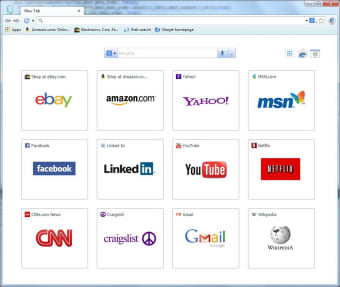
Slimjet is a web browser that prides itself with providing its users fast and seamless browsing. It is also light and does not consume too much computer resources when compared to other well-known browsers like Opera, Brave, and Firefox Slimjet is equipped with its own built-in features and productivity tools that aim to make your sessions smoother.

Top Recommended Alternative

Making life easier

Boosting your productivity by making usually tedious procedures simpler is one of Slimjet’s abilities. Like other browsers, it is capable of automatically filling out forms and login credentials to make it easier and faster for you to access your online accounts. It also has its own built-in ad blocker to prevent you from constantly being interrupted by pop-up banners. But what really makes Slimjet standout from other mainstream browsers is its other advanced functions that usually would need a third party app or program. For instance, Slimjet has its own screen capture and recording tool that you can use if you want to take a snip of what is going on in your browser or record a whole session. This means that there is no need for you to install a screen recorder in your device. 

Slimjet can also perform commands through mouse gestures, which are customizable. You can set a gesture specifically for tasks or practices that you usually do when you are on the Internet such as opening or closing a new tab, switching to Incognito mode, or reloading a webpage. If you want, you can even set a gesture for taking a screen cap or starting screen recording. 

Downloading videos from streaming sites such as YouTube can also be done in this browser even without having to summon a third party downloader. Slimjet already has its own built-in video downloader that amazingly comes with a converter. You can directly save videos from video streaming sites to your computer with the added convenience of converting them from MP4 to MP3 file format. 

A handy browser

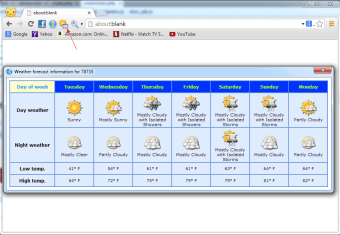
Slimjet is a browser that is made to give you comfort and convenience. You can also enjoy working continuously because of its smart gestures and features that let you do tasks without having to exit the browser. Slimjet also has its own customizable toolbar that can house other functions for quick and instant access. As an added bonus, you can check for weather updates using the browser itself with its very own weather forecast feature! 

  • Pros

    • Clean, streamlined browser
    • Great ad blocking
    • Good privacy settings, no data sharing and anti-tracking
    • Built-in screen capture and screen recording feature
  • Cons

    • Advanced knowledge required for some customisation
    • Some popular customisation options are not possible
    • Lacks the level of support of more well known browsers
 0/4

App specs

Also available in other platforms

Program available in other languages


User reviews about Slimjet Web Browser

3.8

4 reviews

Add review

Main reviews for you

  • Anonymous user

    Slimjet - fastest browser around (&best)!. Have used opera, chrome, firefox.None are as (very)fast and starightforward as Slimjet.Best browser around in my opinion.

  • Anonymous user

    One of the very best Web Browser. Version 7.0.5.0. It's the best webbrowser I have seen and used at the moment.Version 7.0.5.0

  • Anonymous user

    Somewhat promising.. I was excited to try Slimjet and it was pretty decent in some aspects of the browser. The browser is quick and snappy. I like the amount of features, but I think it might be overkill with all the menu options. The browser could also be better if it didn't set default bookmarks to specific websites. The user interface could definitely use a change. Pros: Speed Cons: User interface

  • Anonymous user

    Great browser. Better than chrome.. great browser. Better than chrome. more features. I really enjoy the quickfill feature. Pros: quickfillvideo download

More

You may also like

Alternatives to Slimjet Web Browser

Explore Apps

Latest articles

Laws concerning the use of this software vary from country to country. We do not encourage or condone the use of this program if it is in violation of these laws.
Softonic

Is Slimjet Web Browser safe?

100/100

Score result: Clean

This file passed a comprehensive security scan using VirusTotal technology. It is safe to download.

  • Virus free
  • Spyware free
  • Malware free
  • Verified by Security Partners

    VirusTotal logo

Scan Info

Last scan
Sunday, February 15, 2026
Scan provider
VirusTotal · Full report

File Integrity

File
Slimjet_Web_Browser_V47.0.0.0.exe
SHA256
ee322c3567f5041a9fde5e418998c6c47ba1ec84fc79003b10a39969266b2220
SHA1
93eaef9ffc005122532630205390b02af34d26df

Softonic security commitment

Slimjet Web Browser has been thoroughly scanned by our advanced security systems and verified by industry-leading partners. This file comes from the official developer and has passed all our security checks, showing no signs of viruses, malware, or spyware. For more information, visit our Security and Trust Center